




Plugins — are a convenient way to expand the functionality of a website without developing it from scratch. They help add forms, galleries, SEO settings, integrations, and dozens of other features. However, incorrectly selected or incorrectly configured plugins can cause crashes, errors, and even website hacking. In this article, we will look at how to use plugins safely and avoid risks.
Why it is important to use plugins with caution
- Website stability
The plugin may conflict with other extensions or themes, resulting in errors, crashes, or complete site failure. - Data security
Unreliable or outdated plugins open the door to hackers who can introduce viruses or steal data. - Download speed
An excessive number of plugins reduces website performance, slowing down pages.
Basic steps for safe use of plugins
1. Reputation check before installation
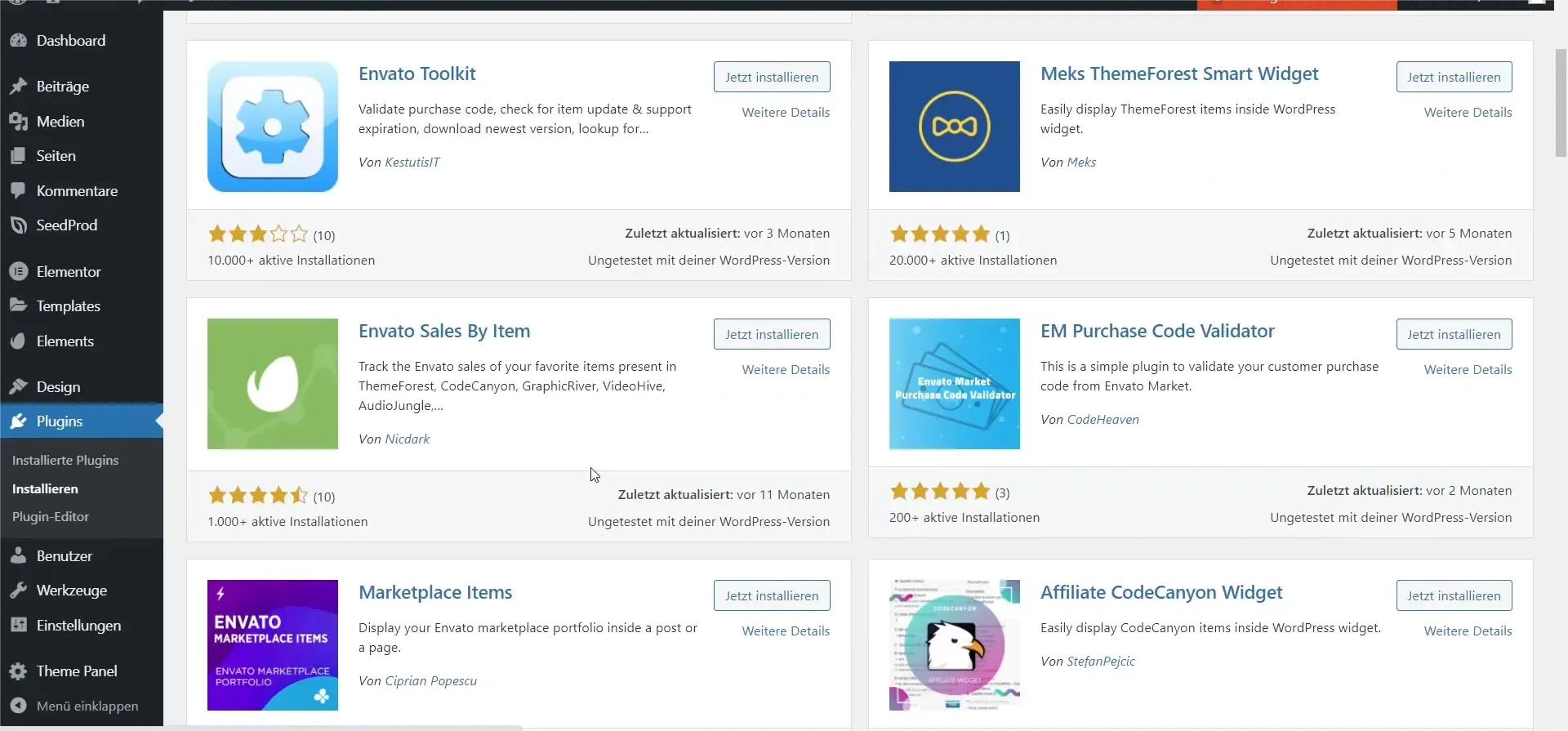
Check out the rating, number of installations, date of last update, and user reviews. Reliable plugins are constantly maintained by developers.
2. Compatibility with your CMS
Ensure that the plugin is compatible with your CMS version and theme. Incompatibility often leads to errors or incorrect operation.
3. Use only official sources
Avoid downloading plugins from unknown websites — pirated versions are most often infected with viruses.
4. Backup before installation or update
Any new plugin can cause a conflict. A backup is a way to quickly restore your website to working order.
5. Removing unnecessary plugins
Deactivation is not enough. Remove unused plugins to avoid creating unnecessary risks and load.
6. Regular updates
The latest versions contain vulnerability fixes and new features. Outdated plugins are one of the main reasons for website hacking.
7. Testing after each change
Check the functionality of key pages, forms, and features. Even a minor update can affect the structure of the site.
How we help
- Virus cleaning – We check plugins for malicious code, remove infected files, and close vulnerabilities that caused the infection.
- Website optimization – We configure plugins so that they do not overload the website, speed up its performance, and do not create conflicts between each other.
- Website support – We regularly update CMS and plugins, monitor stability, compatibility, and security of all extensions.
Tips for website owners
- Only use verified plugins from official directories.
- Periodically review the list of extensions and remove unnecessary ones.
- Install updates in a timely manner.
- Make backup copies before making major changes.
- Please contact specialists if something is not working properly.
Conclusion
Safe use of plugins — is the foundation of stable website operation. Choosing proven extensions, regular updates, testing, and backups will help you avoid crashes and maintain performance. Trust in your website starts with its technical security — and working with plugins correctly is an important part of that process.
If you want a site that works for your business, order from us:
virus cleaning | website optimization | website support