
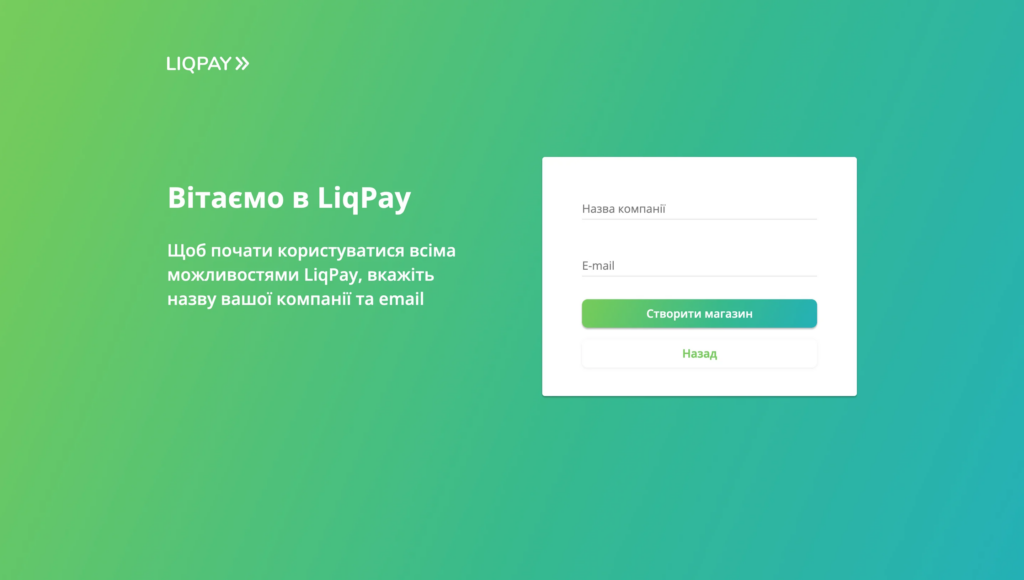
Connecting online payments to a website is often accompanied by technical nuances: orders are not updated after a successful debit, there are problems with currencies, or server notifications (callbacks) do not work correctly. For Ukrainian businesses, one of the most popular payment gateways remains LiqPay from PrivatBank. In this guide, we will analyze the technical aspects of integrating the service with WordPress (WooCommerce) and OpenCart, security settings, recurring payments, and working with currencies.
What is LiqPay Checkout and how does it work?
LiqPay Checkout — is a ready-made payment page or modal window where the customer enters their bank card details directly in the secure payment system environment. In addition to classic Visa and Mastercard cards, the interface supports Apple Pay, Google Pay and other methods depending on your merchant account settings.
This approach relieves the site owner of most PCI DSS requirements, as sensitive payment data does not pass through the online store's server. The site's task is to form the correct payment request, redirect the user, and correctly process the server notification (callback).
What to prepare before starting the integration
Before installing a payment module on your site, you need to prepare the technical base:
- Merchant account: a business account has been registered in the LiqPay system and an acquiring agreement has been signed.
- API keys: public key (public_key) and private key (private_key), which are used to sign requests.
- HTTPS protocol: a prerequisite for the operation of any payment systems and user security.
- Test environment: the ability to make test payments before launching into production.
Connecting LiqPay to WooCommerce
For online stores on WordPress, official or proven third-party WooCommerce LiqPay integration plugins are usually used.
Basic setup steps:
- Install and activate the payment gateway plugin in your WordPress admin panel.
- In WooCommerce settings, go to the Payments section and find LiqPay.
- Enter your
public_keyandprivate_key, received in the merchant's personal account. - Configure order status correspondence (for example, successful payment transfers the order to the status "Processing" or "Completed").
After saving the settings, be sure to make a test payment for the minimum amount to make sure that the order status in the admin changes automatically after the transaction is completed.
LiqPay integration into OpenCart / ocStore
The OpenCart architecture requires careful selection of a module for a specific version of the engine (for example, ocStore 3.x or 4.x).
- Compatibility: Make sure the module version matches your OpenCart version. Using outdated modifiers (OCMOD) can cause conflicts in the cart.
- Callback address settings: The gateway needs to know where to send transaction status notifications. Typically, the module generates this path automatically.
- Order statuses: clearly distinguish between statuses for pending payment, successful transaction, and cancellation.
Currencies: EUR and UAH in payment delays
When working with multiple currencies, it is important to understand the difference between the price displayed on the website and the actual debiting of funds:
- Catalog currency: what the user sees on the product page.
- Request currency: parameter that is passed to the LiqPay system (for example, UAH or EUR).
- Conversion and NBU rate: The National Bank of Ukraine exchange rate is often used to display the approximate equivalent in another currency (for example, via the official NBU API). However, remember that the actual amount of the charge and the conversion fee depend on the terms of the customer's card issuing bank and your merchant agreement. Do not guarantee support for specific currencies without prior agreement with the payment system support.
Recurring payments and subscriptions
If your business is built on a recurring payment model (membership, monthly services, digital subscriptions), LiqPay allows you to set up automatic charges. To do this, use the parameter when initiating a payment through Checkout. action=subscribe. The standard implementation covers subscription creation, regular debits, amount changes, and cancellations. However, complex scenarios (e.g., temporary pauses or custom schedules) often require individual refinement of the logic on the site side.
Security and processing of server notifications (Callback)
A critical mistake many developers make is to update the order status only when the user returns to the successful payment page (result_url). The customer can close the tab immediately after the money is debited, and the order will remain unpaid in the system.
The correct architecture is based on server requests (Callback):
- LiqPay sends a POST request to your server with parameters
dataandsignature. - The server must calculate the signature itself using the private key and verify it with the received one.
signature. - You need to check the amount, currency, order number and final transaction status (e.g.
successorsandbox). - Implement protection against reprocessing the same callback request to avoid double billing for services or creating redundant entities.
When a standard plugin is not enough
Ready-made payment modules cover 90% of standard tasks of online stores. However, business owners often face non-standard needs: payment integration into the user's personal account without redirection, complex payment splitting (split payment), custom invoice generation or deep synchronization with internal ERP systems. In such cases, you need development of your own plugins and modules or direct integration via API.
Pre-launch testing checklist
Before enabling real-world payments, check the following scenarios:
- Successful transaction: funds are debited, the order status in the admin changes automatically.
- Unsuccessful payment: insufficient funds or card error - the order receives the status of rejected.
- Cancellation of payments and refunds.
- Correctness of the transfer of the amount, taxes and selected currency.
- Correct operation of the interface on mobile devices.
If you encounter technical difficulties during setup, our team is ready to help with setup or project audit. You can learn more about work formats and services on the page technical support of websites.
Frequently Asked Questions
What should I do if the money has been debited, but the order on the website remains unpaid?
Most often, this means that the server callback did not reach the site due to blocking by the hosting, problems with a valid SSL certificate, or incorrectly configured redirection rules. You need to check the server logs and the presence of requests in the LiqPay system.
Is it possible to set up automatic refunds from the site's admin panel?
Standard modules for WooCommerce and OpenCart usually support basic refund operations directly from the online store's control panel, but this depends on your merchant account settings and payment plugin version.
Why are the amounts different when paying in a currency other than hryvnia?
This is due to the cross-currency conversion rates of your bank, the bank issuing the client's card, and the rules of international payment systems. The site only transfers the denomination set in the system.
Are you planning to launch a new project, perform a complex integration, or are you looking for a reliable team to provide technical support and accelerate your existing site? Describe your task — at VORONOV Solutions, we will conduct a technical audit and offer the optimal cooperation format (Fixed Price, hourly package, or Retainer).

 English
  Ukrainian